📅January 9th, 2026
Suppose you know what your life is missing and that's Windows 98. You like the tactile feel of an actual machine. You don't want to use an emulator or a VM.
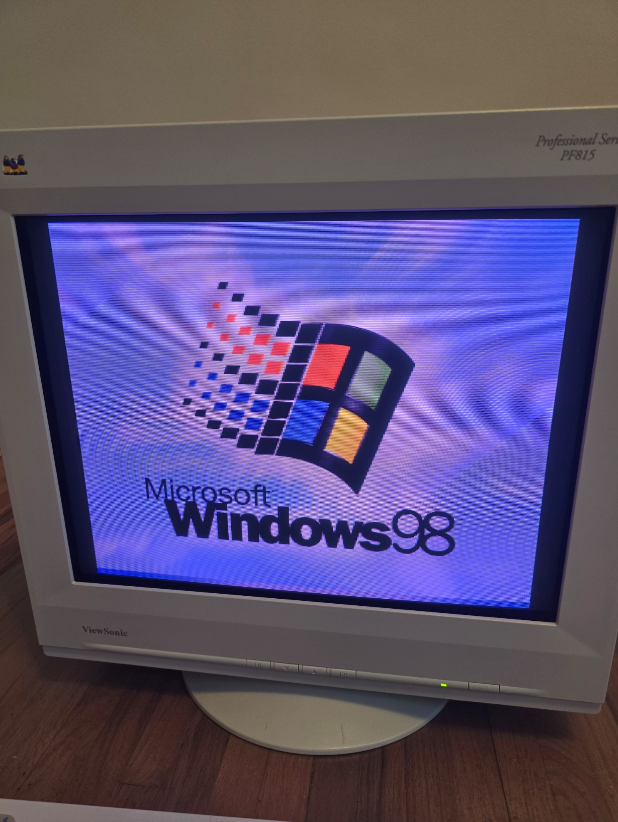
The good news is: yes, you can still set this up today. It's good to know what works and what doesn't, or what takes some effort.
This post describes a couple aspects of setting it up- drivers and networking- and what you can expect.
This is all general computer literacy tasks, not programming. Some of it isn't super obvious so I'm writing this for anyone that needs it.
Drivers
People don't like hearing this, but you'll have a lot better time using compatible hardware that could have reasonably shipped with Win 9x.
As in, hardware released at the time. Yes, you do see a lot of videos of "I set up Win95 on this new laptop", "I set up Win9x on this new gaming PC in a separate partition and got it enumerated in the bootloader", "Look, it works on this pocket organizer!" and it looks very impressive. There's one detail you'll usually see in those videos: they ONLY get so far as booting the OS. Maybe launch Paint and Calculator. They don't use network features, they don't use graphics acceleration, they might not even try to play sound, half the buttons don't work. They do horrible hacks, make delicate changes to system.ini, autoexec.bat, config.sys, try to fool the OS into enumerating different hardware caps. And they succeed, by some measurement of 'success', which is just booting the OS.
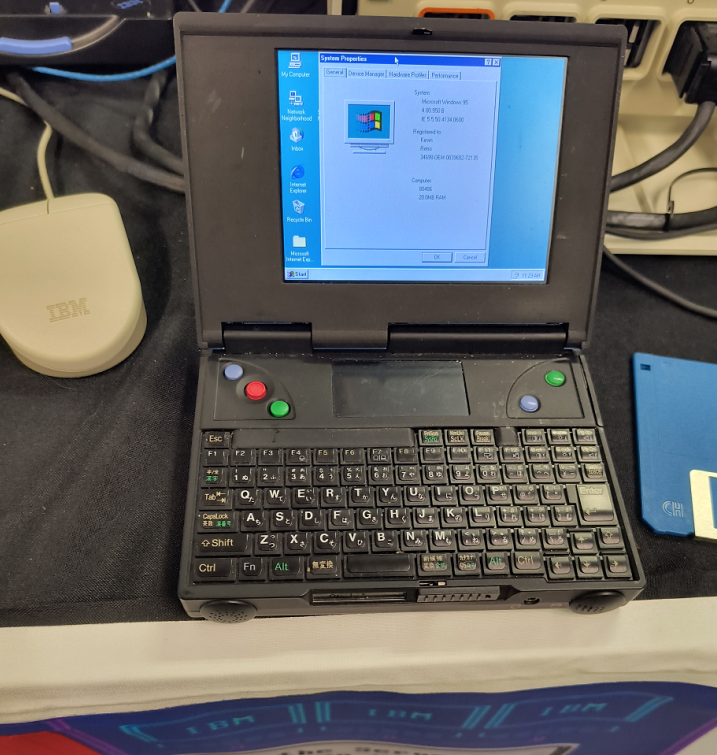
If your goal is just booting the OS and none of that other stuff, great.
If you want to use, say, really use the computer- use network features and connect to the Internet, you'll hit a wall. Use a non-PS2 mouse, you'll hit a wall. Potentially use the CD drive, you'll hit a wall. If you want to use the machine in any real way, you're limited. The OS doesn't live in a vacuum and it ultimately needs a way to talk to the hardware, and the inbox default drivers from the 90s are not future proof in the way you might be hoping. You probably want graphics, sound, network features from your hardware and those require drivers. Newer or unsupported hardware will not have Win 9x drivers and it is MUCH harder (technically possible sometimes but significantly harder) to hack your way to success around this.
Instead, why not go 100% immersion and use contemporary hardware?
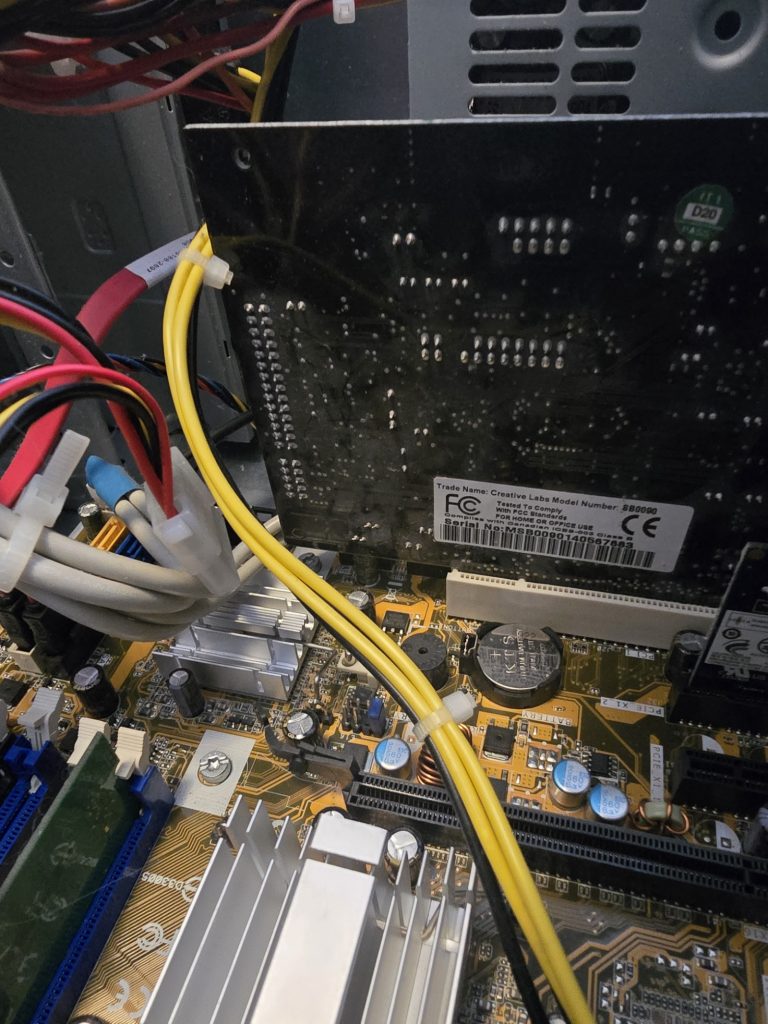
Get a Sound Blaster, get PS2 keyboard and mouse, get an old network card, get an old Voodoo, whatever, doesn't matter, get a low spec machine. I know it's a pain and there are some costs to doing this but you'll have to do way fewer hacks, and life will be better.
Wi-fi
Not strictly necessary, but it is nice to get some form of Internet connectivity. Depending on the layout of your home, you might not want to run a gigantic ethernet cable. The appealing option is wi-fi, then. You will have trouble using a real wi-fi dongle since there's unlikely to be compatible drivers. Also, in the OS, you'll notice Win9x can be configured against dialup and LAN and that's pretty much it. Any level of getting the OS to understand wi-fi directly needs to be provided by a driver. It will be hard to find that.
Fortunately, there's an actual connectivity method that's pretty easy.
Get one of these really inexpensive adapters that plug into an ethernet port, so your computer thinks it's LAN. Something like this.
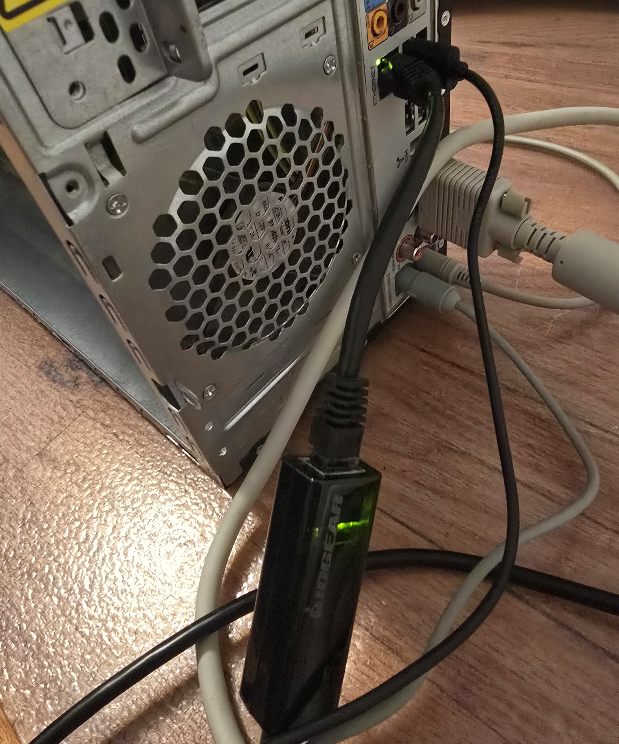
The connection to the computer is LAN, but the connectivity to the internet is over wi-fi. You set it up in a local gateway, set up the SSID and password there as needed, then tell the OS it's ethernet, done. Of course do this at your own risk, there are risks using any kind of internet adapter product plus some others mentioned below. This method is generally pretty easy and in fact, you can do it this way for pretty much any old device that only supports Internet over ethernet.
The Web
There's the actual question about what to do once you're online.
This question holds regardless of whether you connect over wi-fi or some other way.
Maybe you want to view web sites in a browser. This, I think you shouldn't try it. It's possible but not worth it. I'll explain why.
There are a couple obstacles keeping your old Win9x box from browsing the modern Internet. For example, if you try Google:
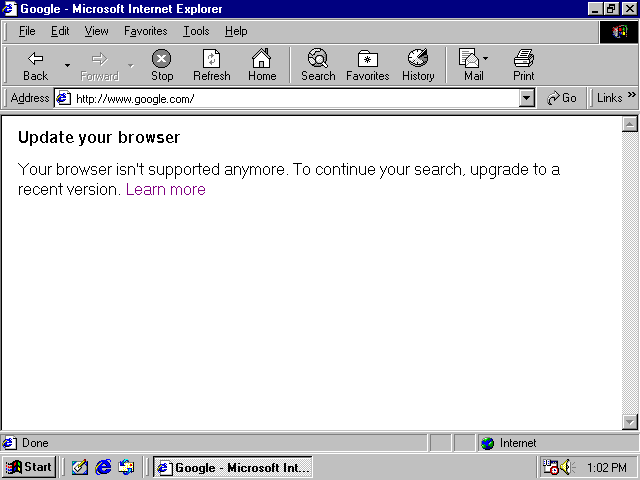
Or Wikipedia:
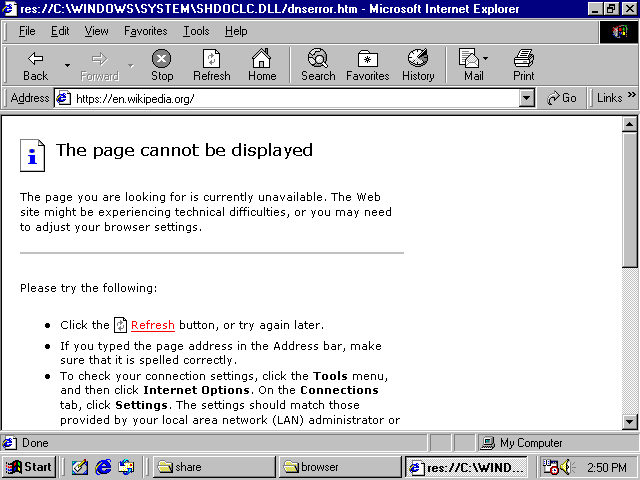
They don't load, and it's because of SSL.
Tilde.club does not use SSL:
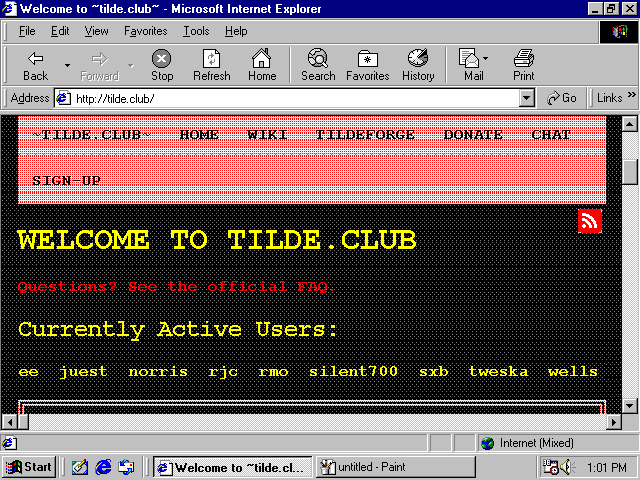
So it works but just looks a little screwy.
The inbox browser with Windows 98 is Internet Explorer 6. Some level of SSL can be enabled with Internet Explorer 6 as an optional feature or you can get it through other browsers. Still, it's not enough. SSL/TLS is not a yes or no. There are different versions and different encrypted key sizes and IE6's optional feature gives you only the most basic one. Other browsers will get you only slightly further along and that's it.
The exception is web sites that don't use SSL at all- there are only a handful of "WWW1" style sites around anymore, like tilde.club, and sometimes visiting them pops up all kinds of warnings in people's modern web browsers so they get avoided.
Note: People always talk about web pages as a platform as if they have this timeless works-everywhere quality. As if compat is king, compat was the utmost priority, and nobody ever deprecates older hardware.
Except, it's not true. The complete deprecation of old hardware has happened already.
The deprecation was for a good cause, to be clear. Without SSL, you're vulnerable to man-in-the-middle attacks. Someone could, say, set up their laptop at a coffee shop and create a hotspot for people to log into, and when you log into it, they can eavesdrop on credit cards, passwords, personal data, even change the communication that is sent to you or from you to others. But with SSL, this becomes a lot harder to the point where it's generally not done, and 'hacks' use some other mechanism. Despite what Youtubers shilling VPNs for 'security' will tell you, SSL by itself is actually very real and effective. The main benefits of those kinds of VPNs are usually location spoofing not security.The security you have through SSL is effective against many kinds of threats, coming at a cost of deprecating old hardware.
Second, the modern internet may be locked away from you because of the raw computation needed to load most pages.
The minspec for the modern internet has significantly risen over time. And if you followed my setup advice and used old, contemporary hardware, the good news is that you can get your computer working- yet, it may be too slow in terms of computation. It's a trade-off. I still claim the slower hardware is worth it, but that's the trade-off.
You can look at the raw disk size of the downloaded parts of modern web pages to get a sense, and imagine the computation needed to parse client-side scripts that size. In a fully advertising-driven Internet where web sites are playing with cat-and-mouse with ad blockers, web sites have nested divs upon nested divs with insane amounts of client-side processing. And no one is writing minimal, static pages anymore, even if those could deliver the same functions. Simple pages with a menu and a splash screen use HTML5 canvas, virtualized scrolling, and modal dialogs have changed from 'physical' (actual new pop-up windows, that create a new browser window) to 'virtual' (a fake window with an 'X' button overlayed on top of the page). Web site design is very tangled up with fashion, fashion changes, you don't want your web site to not look cool, and the fashion changed in favor of forcing us to buy new computers.
That's why if you connect your Win9x box to today's modern internet straightforwardly, you will have trouble viewing most web sites, even fairly minimal-looking ones if they are modern, and sometimes even if they aren't particularly modern.
With that, my recommendation is to
- Take a deep breath
- Make peace with the fact that while you can connect to the internet, web browsing is not really accessible to you. Use the internet for things which are not in a web browser.
When people say they want to functionally get web browsing on Win98, I think they're misrepresenting things. Because in actuality, they want to travel back in time to use and view the web sites from back then.
Like, say you want to re-live an old online multiplayer game. With some effort you can functionally run the game. But then you log on and there are no other players. Is that really what you wanted?
Unlike local computing, the internet is full of the content of other people. Your experience depends on that completely.
You could think of the internet beyond web browsing. Your Win98 box could use it more for file sharing without having to write disks or CDs or set up a serial cable. That's super useful. I think a giant struggle to access a partially functional modern internet through Windows 98 is not really worth it. That's my opinion on it though.
Tunneling
If you still need some form of web browsing and will stop at nothing, there are a few options that rely on, basically, tunneling through a 2nd computer.
If it'd satisfy your craving, you could use a service like protoweb to access some curated selections of old sites from IE6.
Or you can use a portal like http://theoldnet.com, which does tunneling of some pre-blessed sites like Internet Archive and Wikipedia for you.
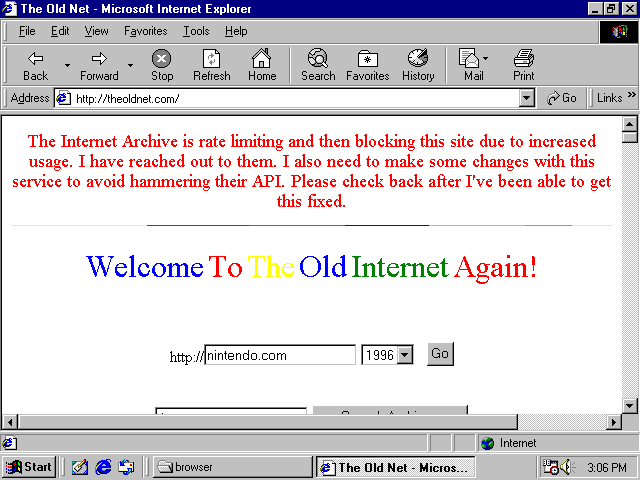
If you want to access any arbitrary site, a way to get pretty functional web browsing on Win9x OS today is to tunnel SSL content through a local web server that you own, and that local web server understands SSL. Then it sends back a page with no SSL to your retro machine.
For example, with this: https://github.com/snacsnoc/windows98-ie-proxy
Of course you need to make sure the connection between the Win98 box and the web server is trustworthy and be aware of security implications as you come across them.
That fixes the SSL part. It may only partially fix the 'lack of compute power' part, but is likely to be good enough.
Fun aside: Fujinet! to enable internet (not really web browsing) on very old 8-bit computers, people have simply been solving it in hardware+software, not software alone, through the Fujinet project which is very cool! I saw a demo of this at Vintage Computing Festival. You buy a hardware peripheral and plug it in and that provides the extra compute power for internet connectivity, among a whole slew of other things. For HTTPS it could definitely be used to view some text-based content.
The methods of accessing the internet through Windows 98 discussed here don't involve offloading processing onto a local peripheral but there is offloading is to a remote proxy if you want.
Security
There's additional nuance thinking about security in these environments. I already mentioned some things you need to consider when setting up internet.
You should know, and probably know already, Windows 98 doesn't really do separation of user privilege, everything is basically run as administrator. And more of the driver model sits in kernel mode. And no security updates for anything- neither in the OS, nor drivers. So in some ways, opening up your retro machine to the internet is dangerous and risky.
On the other hand, today's bad actors are not targeting Windows 98 systems. Today's browser malware likely won't be compatible with the web browsing solutions you're using. There are some common app vectors that get targeted- Discord, Teams, WhatsApp- those won't be running in this environment. So in some other respects it is not so risky.
And you probably aren't daily driving in it. Or maybe you are. Here is where I was going to make a joke here about doing your banking over telnet.
📅September 20th, 2022
Recently someone asked me 'what are HLSL register spaces'? in the context of D3D12. I'm crossposting the answer here in case you also want to know.
A good comparison is C++ namespaces. Obviously, in C++, you can put everything in the default (global) namespace if you want, but having a namespace gives you a different dimension in naming things. You can have two symbols with the same name, and there's some extra syntax you use to help the compiler dis-ambiguate.
HLSL register spaces are like that. Ordinarily, defining two variables to the same register like this:
cbuffer MyVar : register(b0)
{
	matrix projection;
};

cbuffer MyVar2 : register(b0)
{
	matrix projection2;
};
will produce a compiler error, like
1>FXC : error : resource MyVar at register 0 overlaps with resource MyVar2 at register 0, space 0But if you put them in different register spaces, like this:
cbuffer MyVar : register(b0, space0)
{
	matrix projection;
};

cbuffer MyVar2 : register(b0, space1)
{
	matrix projection2;
};
then it’s fine, it's not a conflict anymore.
When you create a binding that goes with the shader register, that’s when you can dis-ambiguate which one you mean:
              CD3DX12_DESCRIPTOR_RANGE range;
              CD3DX12_ROOT_PARAMETER parameter;

              UINT myRegisterSpace = 1;
              range.Init(D3D12_DESCRIPTOR_RANGE_TYPE_CBV, 1, 0, myRegisterSpace);
              parameter.InitAsDescriptorTable(1, &range, D3D12_SHADER_VISIBILITY_VERTEX);
Q: In the above example, what if I defined both MyVar and MyVar2 as b0, then assigned bindings to both of them (e.g., with SetGraphicsRootDescriptorTable)?
A: That's fine. Just make sure the root parameter is set up to use the register space you intended on.
Small, simple test applications all written by one person usually don’t have a problem with overlapping shader registers.
But things get more complicated when you have different software modules working together. You might have some other component you don’t own, which has its own shaders, and those shaders want to bind variables which occupy shader registers t0-t3. And then there’s a different component you don’t own, which also want t0-t3. Ordinarily, that’d be a conflict you can’t resolve. With register spaces, each component can use a different register space (still a change to their shader code, but a way simpler one) and then there’s no conflict. When you go to create bindings for those shader variables, you just specify which register space you mean.
Another case where register spaces can come in handy is if your application is taking advantage of bindless shader semantics. One way of doing that is: in your HLSL you declare a gigantic resource array. It could be unbounded, or have a very large size. Then at execution time, you populate and use bindings at various indices in the array. Ordinarily, two giant resource arrays would likely overlap each other and create a collision. With register spaces, there's no collision.
Going forward, you might be less inclined to need register spaces with bindless semantics. Why? Because with Shader Model 6.6 dynamic resource indexing, bindless semantics is a lot more convenient- you don't have to declare a giant array. Read more about dynamic resource indexing here: https://microsoft.github.io/DirectX-Specs/d3d/HLSL_SM_6_6_DynamicResources.html
Finally, register spaces can make it easier to port code using previous versions of the Direct3D programming API (e.g., Direct3D 11). In previous versions, applications could use the same shader register to mean different things for different pipeline stages, for example, VS versus PS. In Direct3D 12, a root signature unifies all graphics pipeline bindings and is common to all stages. When porting shader code, therefore, you might choose to use one register space per shader stage, to keep everything correct and non-ambiguous.
If you want some more reference material on register spaces, here's the section of the public spec:
https://microsoft.github.io/DirectX-Specs/d3d/ResourceBinding.html#note-about-register-space
📅March 1st, 2022
Answer: mostly, yes. Explanation below.
Part 1: Yes or No
Remember GDI? Say you're using GDI and Win32, and you want to draw some graphics to a window. What to do. You read the documentation and see what looks like the most obvious thing: "SetPixel". Sounds good. Takes an x and y and a color. What more could you want? Super easy to use.
But then, you see a bunch of cautionary notes. "It's slow." "It's inefficient." "Don't do it."
Don't do it?
Well. All these cautionary notes you see are from days of yore:
- Computers are faster now. Both CPU and GPU. Take an early CS algorithms class, experiment with solutions. You’ll see sometimes the biggest optimization you can do is to get a faster computer.
- An earlier Windows graphics driver model. Say, XPDM not WDDM. WDDM means all hardware-accelerated graphics communicate through a “Direct3D-centric driver model”, and yes that includes GDI. Changes in driver model can impose changes in performance characteristics.
- Different Windows presentation model. That's something this API is set up to negotiate with, so it could affect performance too. Nowadays you're probably using DWM. DWM was introduced with Windows Vista.
The date stamps give you skepticism. Is that old advice still true?
As a personal aside, I've definitely seen performance advice from people on dev forums that is super outdated and people get mis-led into following it anyway. For example for writing C++ code, to "manually turn your giant switch case into a jump table". I see jump tables in my generated code after compilation... The advice was outdated because of how much compilers have improved. I've noticed a tendency to trust performance advice "just in case", without testing to see if it matters.
Let us run some tests to see if SetPixel is still slow.
I wrote a benchmark program to compare
- SetPixel, plotting each pixel of a window sequentially one by one, against
- SetDIBits, where all pixels of a window are set from memory at once.
In each case the target is a top-level window, comparing like sizes. Each mode effectively clears the window. The window is cleared to a different color each time, so you have some confidence it’s actually working.
Timing uses good old QPC. For the sizes of timespans involved, it was not necessary to get something more accurate. The timed interval includes all the GDI commands needed to see the clear on the target, so for SetDIBits that includes one extra BitBlt from a memory bitmap to the target to keep things fair.
The source code of this benchmark is here.
Here are the results
| Width | Height | Pixel Count | SetPixel | SetDIBits |
| 1000 | 1000 | 1000000 | 4.96194 | 0.0048658 |
| 950 | 950 | 902500 | 4.7488 | 0.0042761 |
| 900 | 900 | 810000 | 4.22436 | 0.0038637 |
| 850 | 850 | 722500 | 3.71547 | 0.0034435 |
| 800 | 800 | 640000 | 3.34327 | 0.0030824 |
| 750 | 750 | 562500 | 2.92991 | 0.0026711 |
| 700 | 700 | 490000 | 2.56865 | 0.0023415 |
| 650 | 650 | 422500 | 2.21742 | 0.0022196 |
| 600 | 600 | 360000 | 1.83416 | 0.0017374 |
| 550 | 550 | 302500 | 1.57133 | 0.0015125 |
| 500 | 500 | 250000 | 1.29894 | 0.001311 |
| 450 | 450 | 202500 | 1.05838 | 0.0010062 |
| 400 | 400 | 160000 | 0.826351 | 0.0009907 |
| 350 | 350 | 122500 | 0.641522 | 0.0006527 |
| 300 | 300 | 90000 | 0.467687 | 0.0004657 |
| 250 | 250 | 62500 | 0.327808 | 0.0003364 |
| 200 | 200 | 40000 | 0.21523 | 0.0002422 |
| 150 | 150 | 22500 | 0.118702 | 0.0001515 |
| 100 | 100 | 10000 | 0.0542065 | 9.37E-05 |
| 75 | 75 | 5625 | 0.0315026 | 0.000122 |
| 50 | 50 | 2500 | 0.0143235 | 6.17E-05 |
Viewed as a graph:

Conclusion: yeah, SetDIBits is still way faster than SetPixel in general, in all cases.
For small numbers of pixels, the difference doesn't matter as much. For setting lots of pixels, the difference is a lot.
I tested this on an Intel Core i7-10700K, with {NVIDIA GeForce 1070 and WARP} with all similar results.
So the old advice is still true. Don't use SetPixel, especially if you’re setting a lot of pixels. Use something else like SetDIBits instead.
Part 2: Why
My benchmark told me that it’s still slow, but the next question I had was ‘why’. I took a closer look and did some more thinking about why it could be.
It's not one reason. There's multiple reasons.
1. There's no DDI for SetPixel.
You can take a look through the public documentation for display devices interfaces, and see what’s there. Or, take a stab at it and use the Windows Driver Kit and the provided documentation to write a display driver yourself. You’ll see what’s there. You’ll see various things. You’ll see various blit-related functions in winddi.h. For example, DrvBitBlt:
BOOL DrvBitBlt(
  [in, out]      SURFOBJ  *psoTrg,
  [in, optional] SURFOBJ  *psoSrc,
  [in, optional] SURFOBJ  *psoMask,
  [in]           CLIPOBJ  *pco,
  [in, optional] XLATEOBJ *pxlo,
  [in]           RECTL    *prclTrg,
  [in, optional] POINTL   *pptlSrc,
  [in, optional] POINTL   *pptlMask,
  [in, optional] BRUSHOBJ *pbo,
  [in, optional] POINTL   *pptlBrush,
  [in]           ROP4     rop4
);
That said, you may also notice what’s not there. In particular, there’s no DDI for SetPixel. Nothing simple like that, which takes an x, y, and color. It’s important to relate this to the diagrams on the “Graphics APIs in Windows” article, which shows that GDI talks to the driver for both XPDM and WDDM. It shows that every time you call SetPixel, then what the driver sees is actually far richer than that. It would get told about a brush, a mask, a clip. It’s easy to imagine a cost to formulating all of those, since they you don’t specify them at the API level and the API is structured so they can be arbitrary.
2. Cost of talking to the presentation model
There’s a maybe-interesting experiment you can do. Write a Win32 application with your usual WM_PAINT handler. Run the application. Hide the window behind other windows, then reveal it once again. Does your paint handler get called? To reveal the newly-revealed area? No, normally it doesn’t.
So what that must logically mean is that Windows kept some kind of buffer, or copy of your window contents somewhere. Seems like a good idea if you think about it. Would you really want moving windows around to be executing everyone’s paint handlers all the time, including yours? Probably not. It’s the good old perf-memory tradeoff in favor of perf, and it seems worth it.
Given that you’re drawing to an intermediate buffer, then there’s still an extra step needed in copying this intermediate buffer to the final target. Which parts should be copied, and when? It seems wasteful to be copying everything all the time. To know what needs to get re-copied, logically there has to be some notion of an “update” region, or a “dirty” region.
If you’re an application, you might even want to aggressively optimize and only paint the update region. Can you do that? At least at one point, yes you could. The update region gets communicated to the application through WM_PAINT- see the article “Redrawing in the Update Region”. There’s a code example of clipping accordingly. Now, when I tried things out in my application I noticed that PAINTSTRUCT::rcPaint is always the full window, even in response to a small region invalidated with InvalidateRect, but the idea is at least formalized in the API there.
Still, there’s a cost to dealing with update regions. If you change one pixel, that one-pixel area is part of the update region. Change the pixel next to it, the region needs to be updated again. And so on. Could we have gotten away with having a bigger, coarser update region? Maybe. You just never know that at the time.
If you had some way of pre-declaring which regions of the window you’re going to change, (e.g., through a different API like BitBlt), then you wouldn’t have this problem.
3. Advancements in the presentation model help, but not enough
In Windows, there is DWM- the Desktop Window Manager. This went out with Windows Vista and brought about all kinds of performance improvements and opportunity for visual enhancements.
Like the documentation says, DWM makes it possible to remove level of indirection (copying) when drawing contents of Windows.
But it doesn’t negate the fact that there still is tracking of update regions, and all the costs associated with that.
4. Advancements in driver model help, but not enough
DWM and Direct3D, as components that talk to the driver through the 3D stack, have a notion of “frames” and a particular time at which work is “flushed” to the GPU device.
By contrast, GDI doesn’t have the concept of “frames” or flushing anything. Closest thing would be the release of the GDI device context, but that’s not strictly treated as a sign to flush. You can see it yourself in how your Win32 GDI applications are structured. You draw in response to WM_PAINT. Yes there is EndPaint, but EndPaint doesn’t flush your stuff. Try it if you want- comment out EndPaint. I tried it just to check and everything still works without it.
Since there isn’t a strict notion of “flushing to the device”, SetPixel pixels have to be dispatched basically immediately rather than batched up.
5. 3D acceleration helps, but not enough
Nowadays, GDI blits are indeed 3D accelerated.
- They were,
- then they weren’t for Vista,
- then they were again.
I noticed this firsthand, too. Very lazy way to check- in the “Performance” tab in Task manager when I was testing my application, I saw little blips in the 3D queue. These coincided with activity in the SetPixel micro-benchmark.
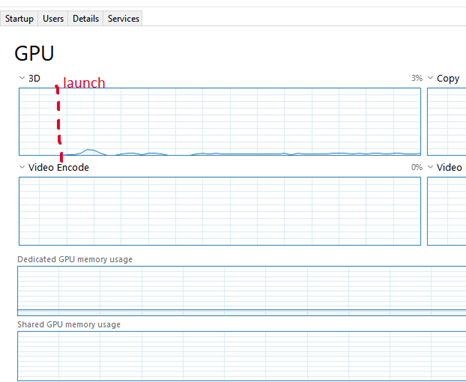
Again, very lazy check. Good to know we are still accelerating these 2D blits, even as the graphics stack has advanced to a point of making 3D graphics a first-class citizen. Hardware acceleration is great for a lot of things, like copying large amounts of memory around at once, applying compression or decompression, or manipulating data in other ways that lend itself to data-parallelism.
Unfortunately, literally none of that helps this scenario. Parallelism? How? At a given time, the driver doesn’t know if you’re done plotting or what you will plot next or where. And it can’t buffer up the operations and execute them together, because it, like Windows, doesn’t know when you’re done. Maybe, it could use some heuristic.
But that brings this to the punchline: even if the driver had psychic powers, it could see into the future and know exactly what the application is going to do and did an absolutely perfect job of coalescing neighboring blits together, it doesn’t negate any of the above costs, especially 1. and 2.
Conclusion
Even in the current year, don’t use SetPixel for more than a handful of pixels. There’s reasons to believe the sources of the bottlenecks to have changed over 30 years, yet even still the result is the same. It’s slow and the old advice is still true.
Epilogue: some fantasy world
This post was about how things are. But, what could be? What would it take for SetPixel not to be slow? The most tempting way to think about this is to flatten or punch holes through the software stack. That works, even if it feels like a cop-out.
📅January 21st, 2021
Suppose you have a Win32 program with a checkbox. You just added it. No changes to message handler.

You click the box. What happens?
Answer: the box appears checked. Click it again, the box becomes un-checked. Riveting
Now suppose you have a Win32 menu item that is checkable. Again, added with no changes to message handler.
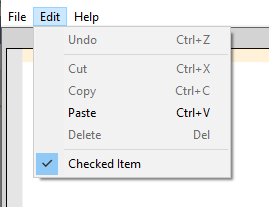
You click the item. What happens?
Answer: Nothing. It stays checked, if it was initialized that way. Unchecked, if it was initialized that way.
In both these cases, the item was added straightforwardly through resource script with no changes to the message handler.
Why are these two things different?
Explanation: apparently it falls out of broader Win32 design. The automatic-ness that the normal checkbox has, requires features to control it. For example, those checkboxes can be grouped into radio button groups with WS_GROUP. To add that same richness to menu items, too? You could, but it'd be an increase in complexity, and the benefit would need to be clearly justified. There'd need to be an "MF_GROUP" and all the API glue that comes cascading with it. Also, automatic checkbox-ness brings with it the chance of encountering errors, and errors tends to mean modal dialogs. It's okay to launch dialogs during normal window interactions, that happens all the time. But from a menu item? It would be really jarring and unexpected. Going more broadly than that it runs the risk of encouraging of bad habits: you might use the hypothetical "MF_GROUP" glue to do something strange and expensive, and that's not what menu items are for. Since it's not clear the benefit is justified, you're on your own for check state.
In case you were wondering, I'm not really trying to "sell" this inconsistency to you. I was just as surprised as you were. I am trying to explain it based on sources though. It's not random.
Something related- this docpage, "Using Menus - Simulating Check Boxes in a Menu". The sample code leaves you asking some broader questions of "why am I doing all this?"
Raymond Chen article fills in blanks: "Why can't you use the space bar to select check box and radio button elements from a menu?"
The design is also conveyed through Petzold's "Programming Windows, 5th edition" page 445 in the code sample "MENUDEMO.C". The message handler goes like
 case IDM_BKGND_WHITE: // Note: Logic below
 case IDM_BKGND_LTGRAY: // assumes that IDM_WHITE
 case IDM_BKGND_GRAY: // through IDM_BLACK are
 case IDM_BKGND_DKGRAY: // consecutive numbers in
 case IDM_BKGND_BLACK: // the order shown here.

 CheckMenuItem (hMenu, iSelection, MF_UNCHECKED) ;
 iSelection = LOWORD (wParam) ;
 CheckMenuItem (hMenu, iSelection, MF_CHECKED) ;
The general trend in this book is to leverage automatic facilities in the Win32 API wherever it makes sense to do. But here, the radio button-ness is all programmatic for checkable menus.
📅January 23rd, 2018
📅June 26th, 2017
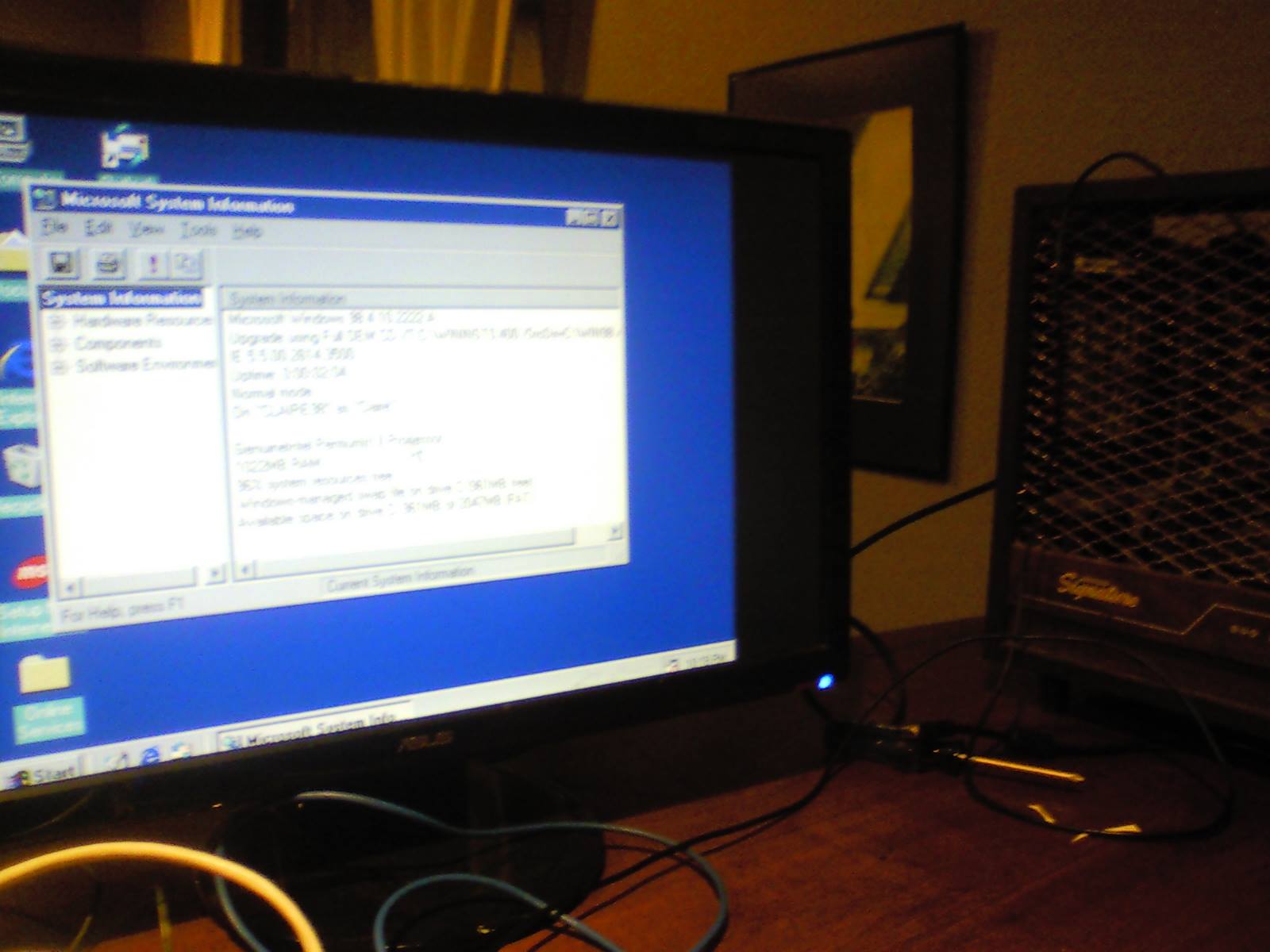
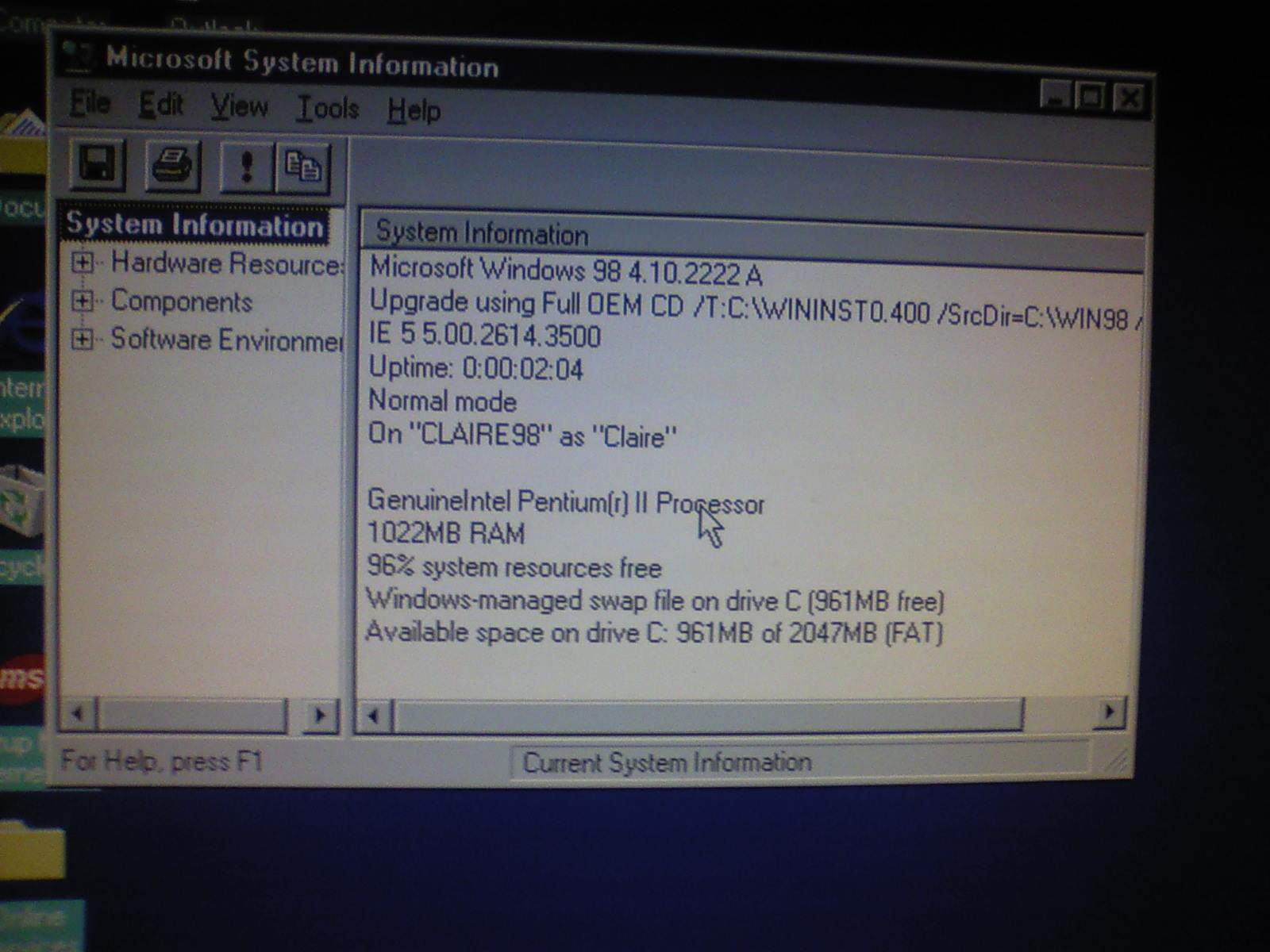
I installed Windows 98 to the "space heater computer"
Is it possible to install 98 to an Intel Core-i5 with 4GB of DDR3 RAM?
Turns out, yes. If you spoof it to only enumerate 1GB, plus a bunch of other sketchy edits to system.ini and config.sys.
📅March 10th, 2017
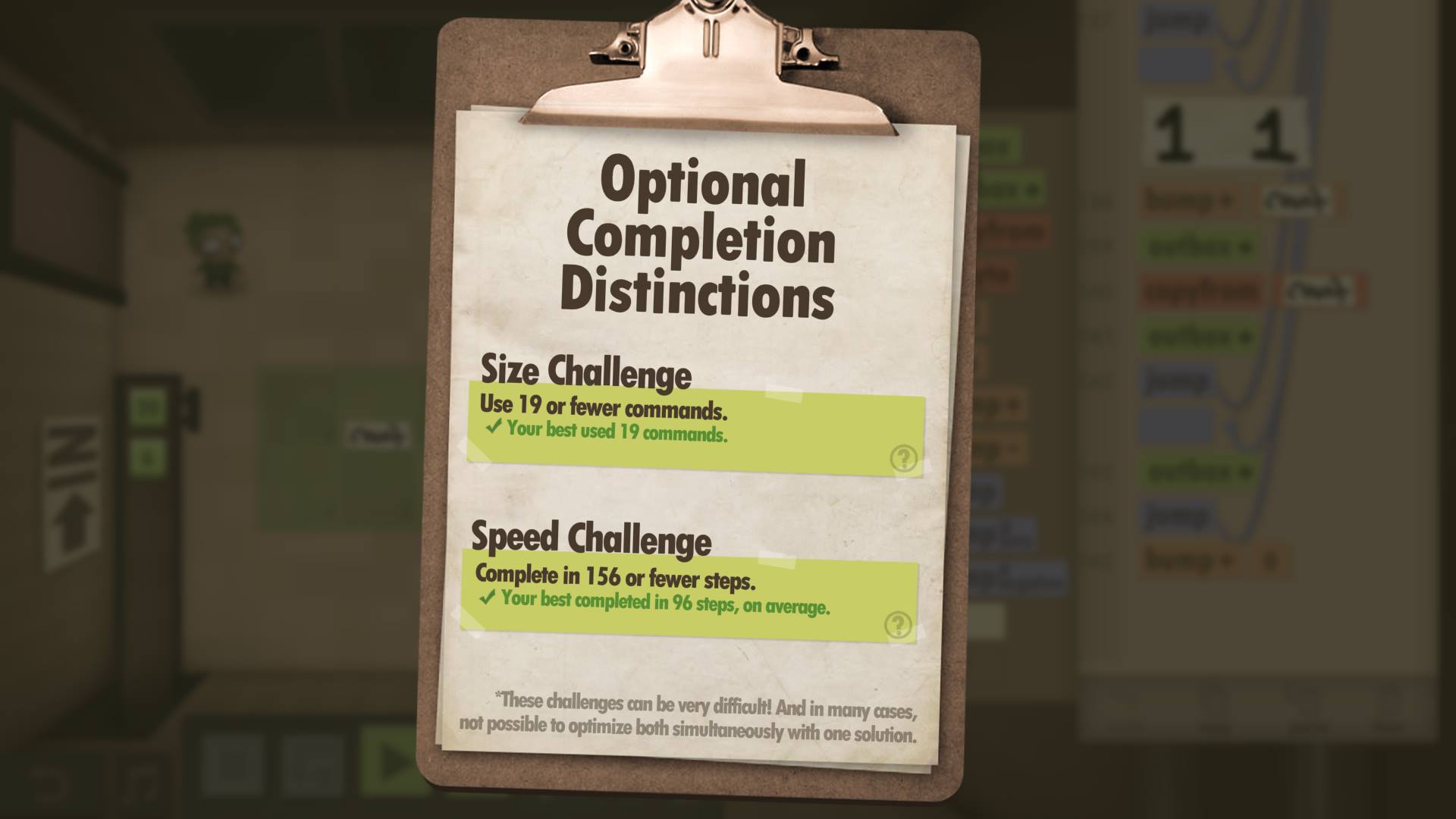
Got all size+speed optimization challenges in Human Resource Machine!
Some of them are HARD.
I have new appreciation for being able to std::swap (in one expression), or use, like, any literals
And the ending. The reward is a creepy cutscene...






📅February 22nd, 2017
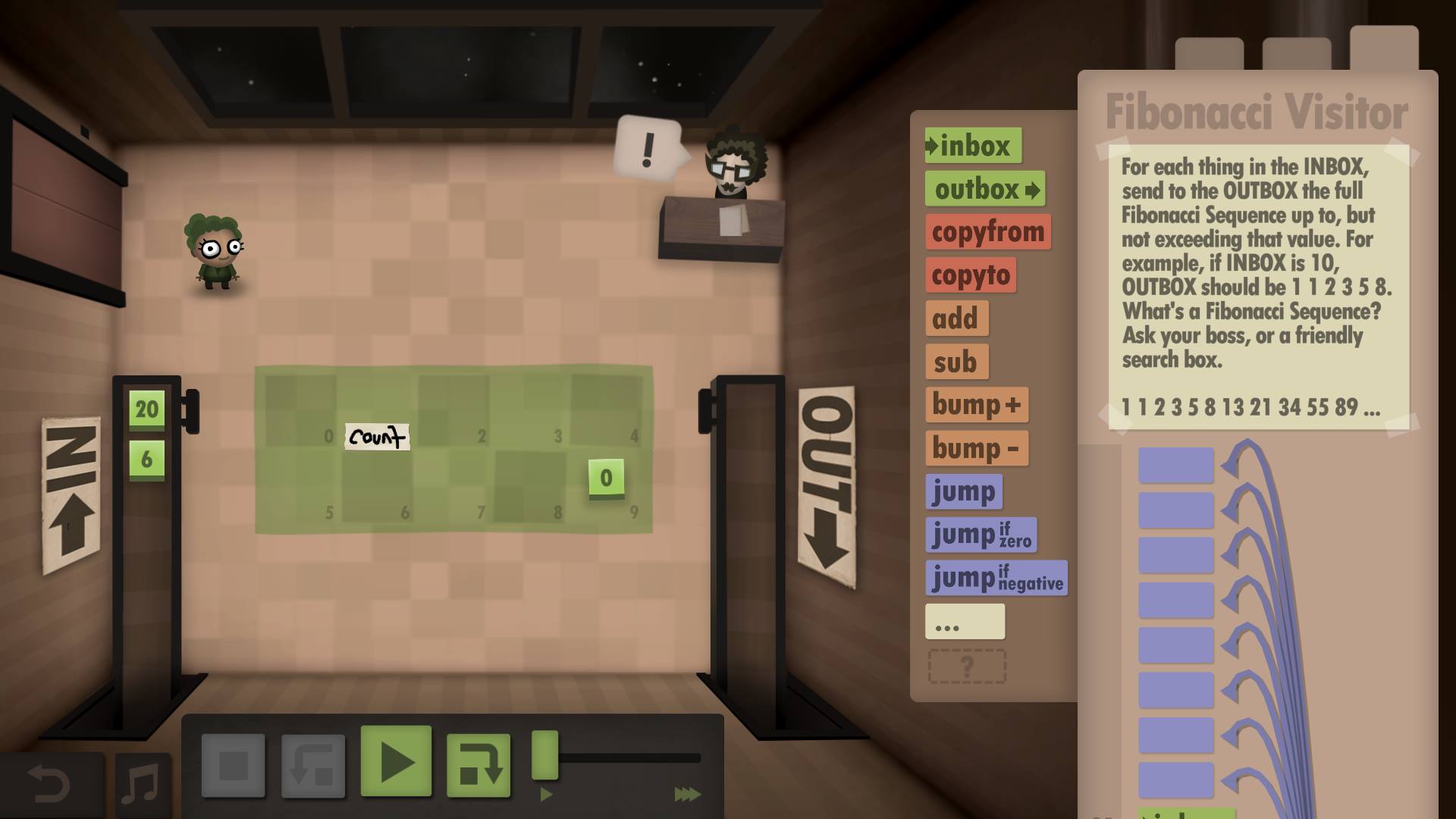
A task in Human Resource Machine.
The idea is to write a program that computes Fibbonacci numbers; the program is comprised of simple assembly-like instructions. The game gives you special bonuses for optimizing for speed or size.
This approach uses loop unrolling. The resulting program is really unwieldy and cumbersome to follow, but outperforms the speed goal by a lot.

📅January 17th, 2017
Finally, I get to share this out! This is PIX, something I've helped build. Debug+profile ALL the DirectX12 games.
https://blogs.msdn.microsoft.com/pix/2017/01/17/introducing-pix-on-windows-beta/
📅March 3rd, 2016
Finished Braid for the first time.
The levels are really clever. Got all the puzzle pieces, got the ending/epilogue, and was left really confused.
What the heck is going on! I understand 0% of the lore of this game.