📅July 30th, 2014
That sure escalated quickly.
📅June 28th, 2014
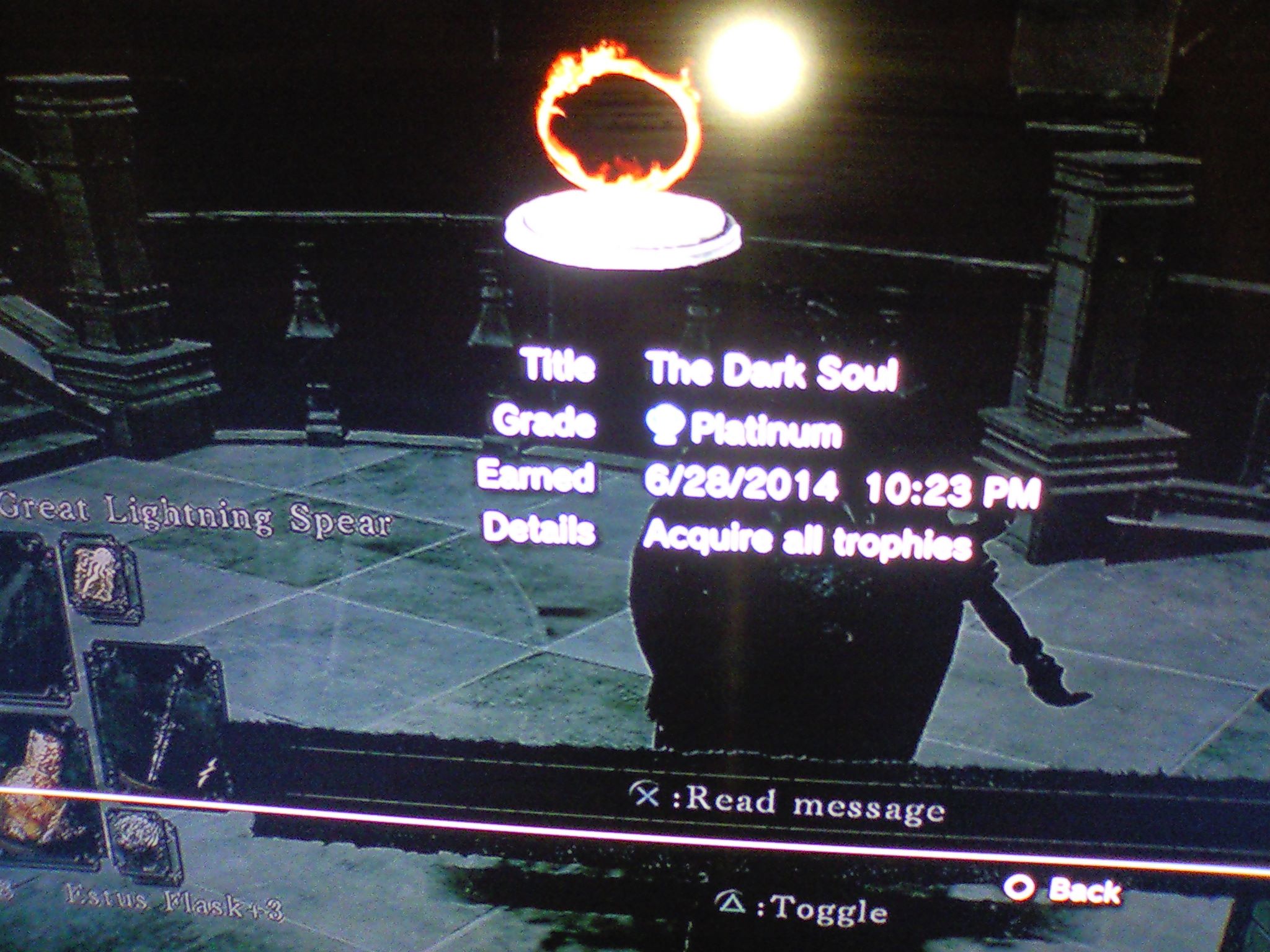
Did it
📅June 17th, 2014
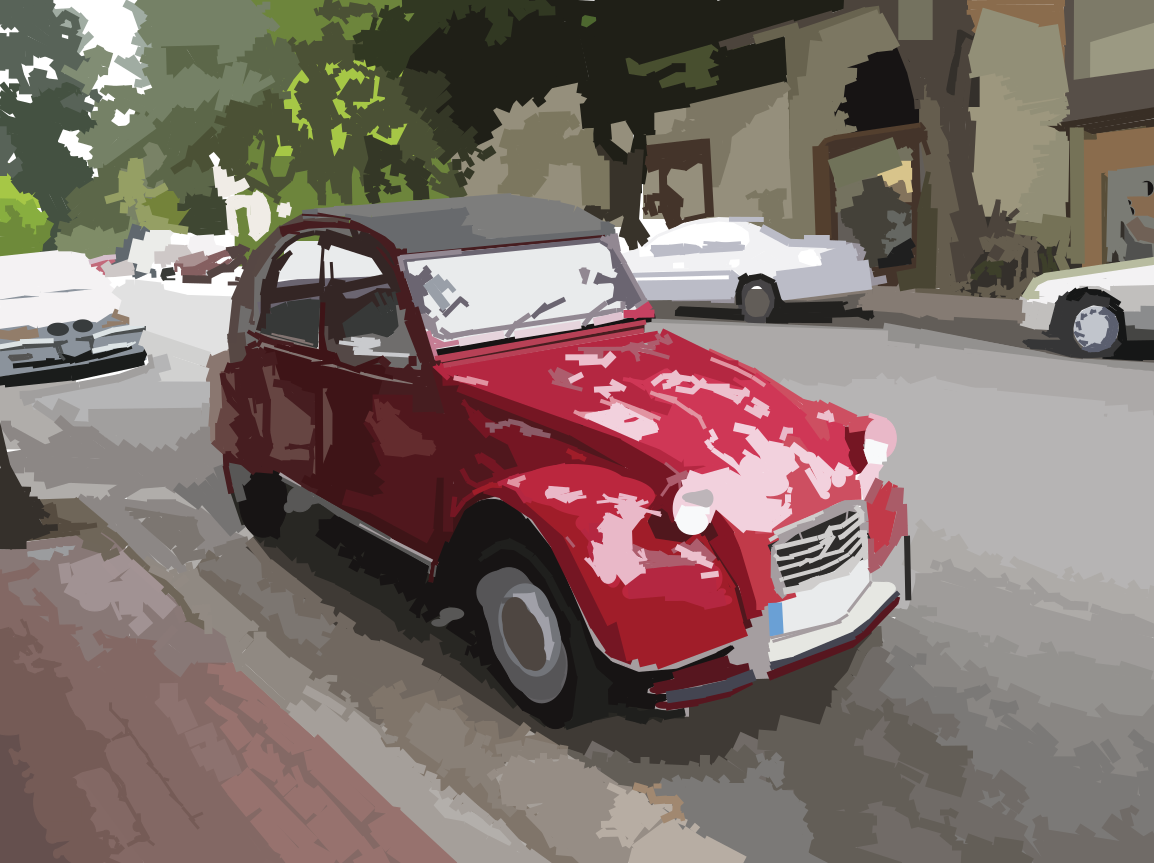
Original vector art of a Citroen 12V. I drew it based off a personal reference photo.
When working on Win2D I put this sample in Win2D's ExampleGallery app for demonstrating Win2D SVG rendering. You can find it in the app under "Vector Art".
📅June 16th, 2014
Vector art work. This took about 2 days. Based on a photo when I was traveling with someone a while ago.
Shape outlines:
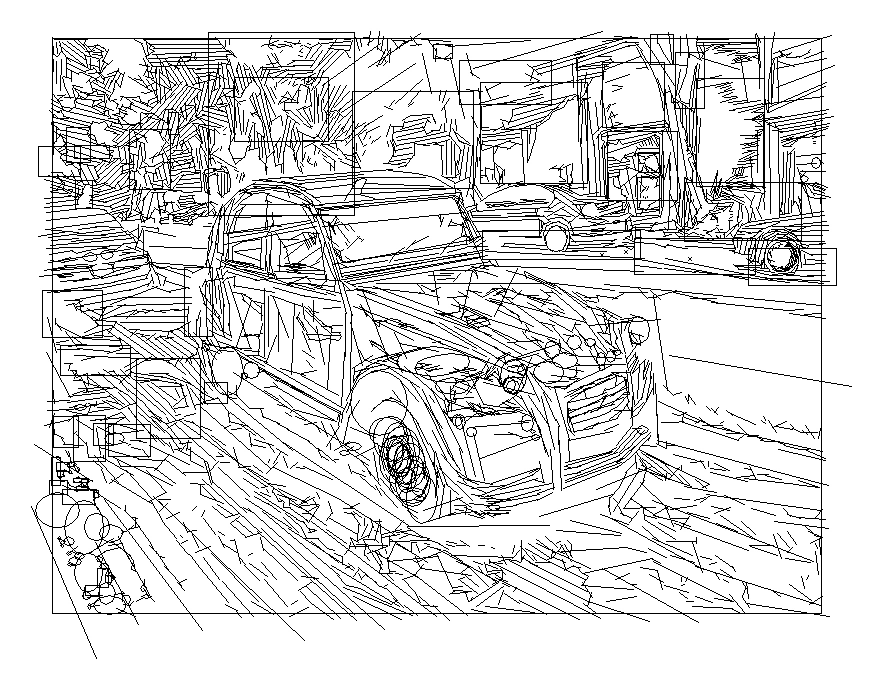
With fills on:
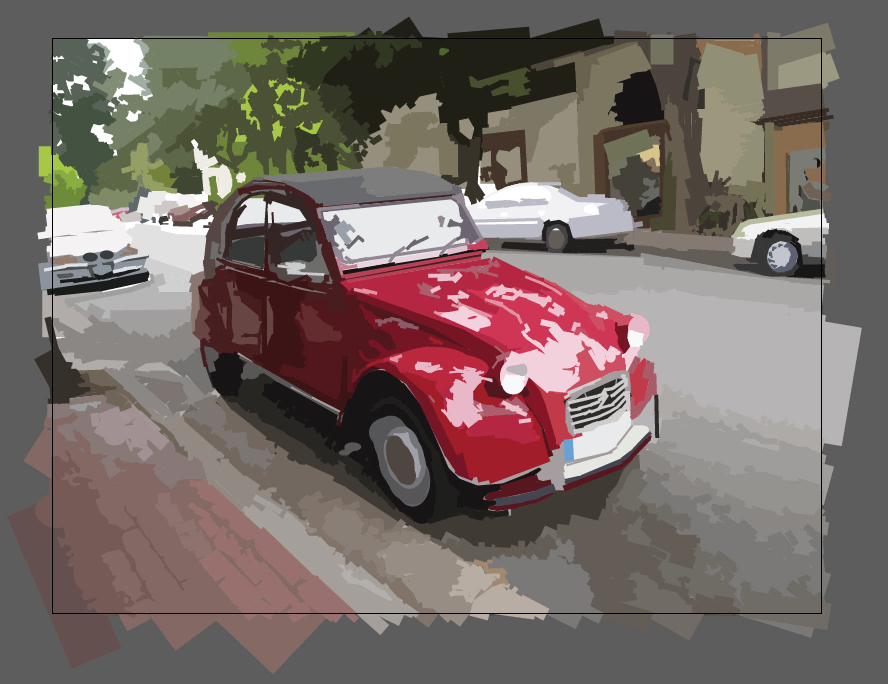
The SVG is available here.
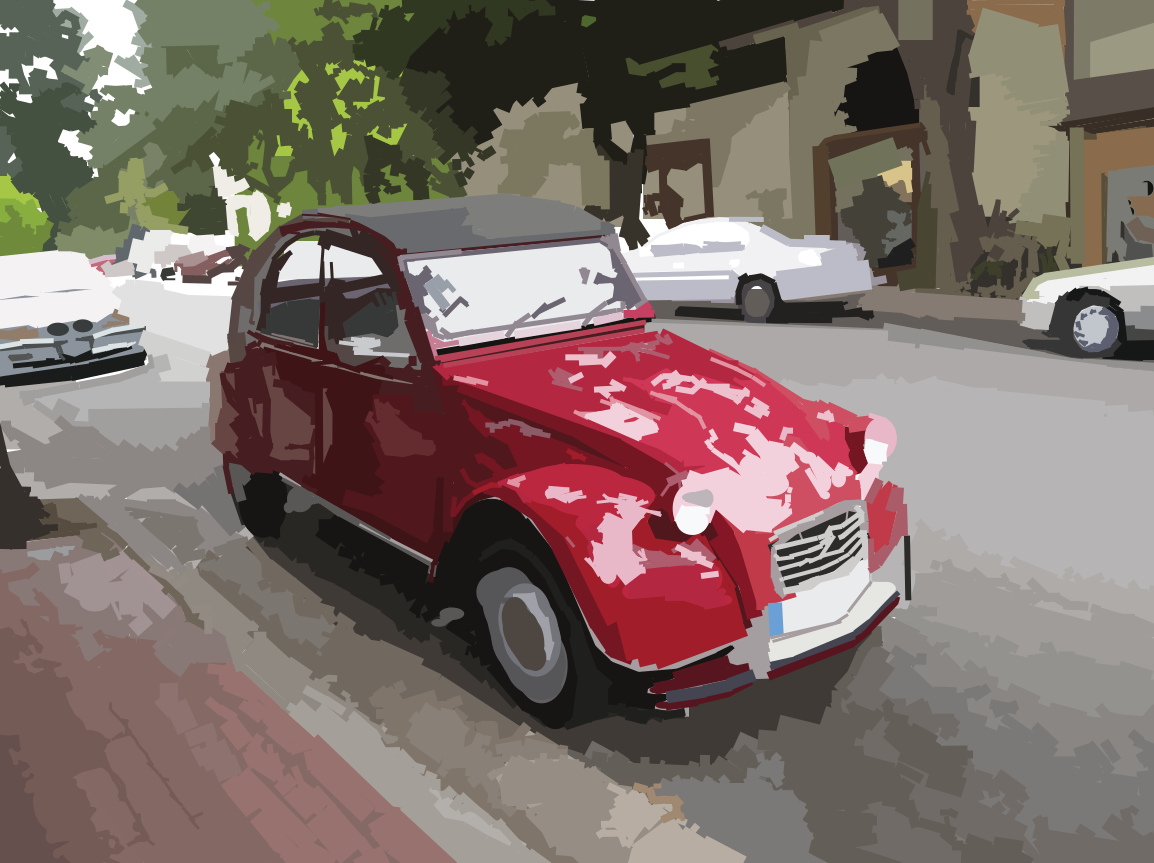
You can find a version of it available as a Win2D sample. There's also a programmatic version.
📅April 17th, 2014
https://www.youtube.com/watch?v=mz1_3az6Hgs
📅September 13th, 2012
This game was made for a graphics course that had an open-ended choice of a final project. We were allowed to produce any sort of demo that used either OpenGL or raytracing techniques. I chose to do a use OpenGL (realtime) for the opportunity to make an interactive demo.
Features:
- Textured meshes exported from 3DS Max in OBJ format, then saved as a serialized format by the game
- Environment/cube map to serve as a background
- Instanced geometry for faster drawing
- Samples from the environment to create a reflective metal effect
- Uses Cairo to render font glyphs to a texture, and composes them to make text
- Uses a deformable mesh to create an animated explosion
In the game, the player shoots down enemy ships and scores points. The missles are shot from the player's ship outward depending on where the ship is pointing.
The ship is controlled with the I,J,K, and L keys. Dragging the right mouse button can be used to rotate the camera, and the scroll wheel zooms in and out.
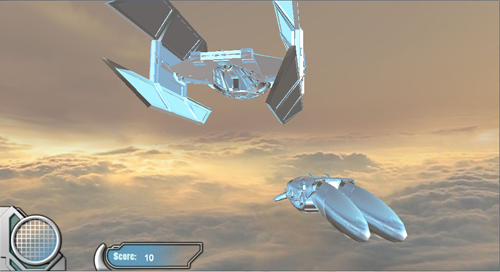
Pressing 'S' will enable/disable some sliders which control certain program parameters, used mostly for debugging/testing.
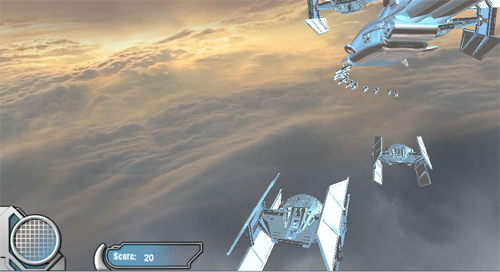
Pressing 'Z' fires a missile. If an enemy ship is hit by a missile, it disappears and the player's score is increased.
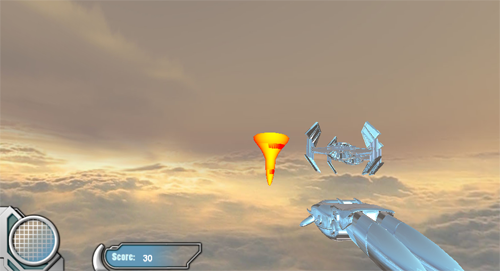
The source code is compiled using Visual Studio 2008.
Download binary (Windows .exe)
📅September 13th, 2012
This is a game submitted for a contest held by UW GameDev Club, where the game has to be done entirely in 24 hours (honour system). Any choice of language or API was allowed, and all entries have to follow the theme: the theme this time was "color, or a lack thereof". I decided to make a small 2D arcade game. My entry was in C++ using GDI+ for graphics.
My entry (2nd place winner) was called Color Dungeon, and overhead-view arcade game where the main character walks around the map, avoiding orbs of the opposite color, getting to the stairs in the lower right corner.
There are 4 floors, each successive one is a little bit harder. The enemies are more numerous, move more quickly and a higher proportion of them will 'home' toward the character.
The maze as generated by recursively partitioning the map area into rectangular 'rooms'. At each step the room will either be partitioned vertically, horizontally, or have another 'room' placed within it. 'Exits' (clearings in the wall) are added for reachability. Reachability is ensured for all areas in the map.
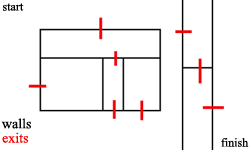 |
Arrow keys are used to move the character around the map. Touching orbs of the opposite colour will damage the character. The goal for each floor is to make it to the stairs, which are placed near the lower right corner.
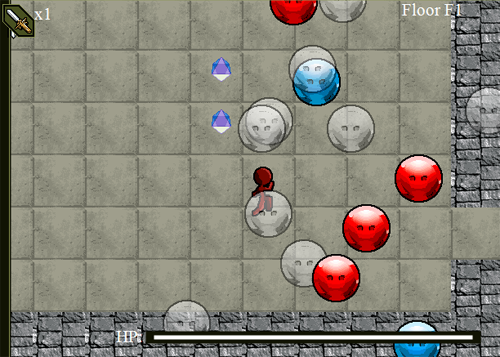 |
Swords are an area-of-effect item that can be found scattered around the map; they are more frequent when there are more enemies. To use one, press 'b'.
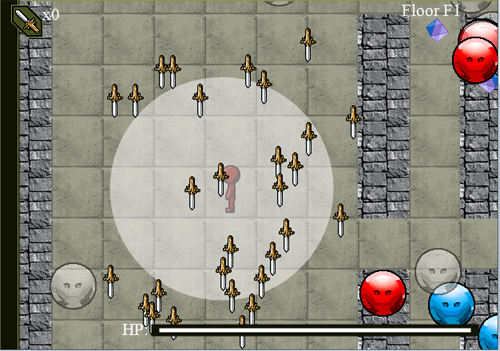 |
The source code is compiled using Visual Studio 2008. There is one project file for the game.
📅September 13th, 2012
This is a tool for estimating the amount of shift (displacement) between two images using FFT (Fast Fourier Transform). The images can be of different sizes. This method is faster than enumerating all the possible (x,y) shifts and selecting the right one, especially for large images. To perform the transforms it uses the fftw library.
More specifically it uses the 2D convolution function between the images. The steps for this are:
1. take the Fourier coefficients of the first image
2. take the same the second image,
3. find the element-wise product of the two results,
4. find the inverse Fourier transform of the above.
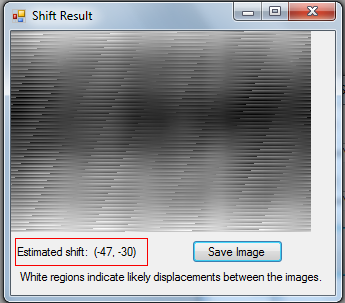
It shows the resulting image, with scaled colour channels so the darkest is black and the lightest is white. The light areas indicate likely amounts of shift. For example, a light area at co-ordinate (5, 6) means the second image was probably shifted 5 pixels across, 6 units down from the first.
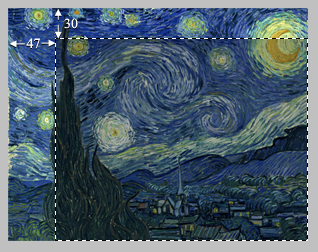
As an example of using it, consider cropping an image so that the resulting image is 47 units across and 30 units down.
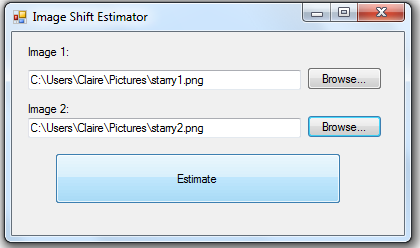
Point the program toward the two image files and hit 'Estimate'.
The dialog will (quickly) show a visual result of the convolution, and the estimated shift. The shift matches with where the image was cropped. The units are the position of the first image, in pixels, relative to the second one.
A brute-force implementation of the same thing is very doable but takes around 30 seconds on this sample, so it's a pretty significant speedup!
Download binary (Windows .exe) + sample images
The source code is compiled using Visual Studio 2008. There are three project files. ConvolveShift is the main executable, a Windows Forms program in C#. Native is a C++ DLL that does most of the real work. NativeDriver is a non-graphical program for testing Native.
📅September 13th, 2012
NOTE: Twitter has geared up and improved security for their API, changing login to use OAuth. Unfortunately, it makes the extension below obsolete. It's still online as a proof-of-concept only.
This is a Game Maker extension used to send Twitter messages. It uses an unmanaged DLL that calls into the managed .NET runtime library to connect with Twitter. It sends an HTTP POST message to send an update. The reason for doing it this way was because Game Maker can only call into native code, but the circumstances for making/using this were competition-based so 3rd party libraries were allowed (all code must be original). Yes it's kind of a judgement call. Anyway there is no standard C++ networking library that provides enough abstraction, but the standard .NET runtime library makes it easy.
In Game Maker, it provides the following functions:
twitter_set_user(user :string)
- - Call this first to set the Twitter username to use.
twitter_set_password(password :string)
- - Call this to set the Twitter password. The game author may want to take some form of security measures.
twitter_send(message :string)
- - Tweets a message.
twitter_set_timeout(timeout :real)
- - Optional. The maximum time, in milliseconds to wait for a network message to be sent. The default is 5000 (5 seconds).
The user name and password only need to be set once.
The extension was built for/tested on Game Maker 8.
Download Game Maker Extension (.gex)
The source code is compiled using Visual Studio 2008. There are two project files, one that builds the DLL itself and one .exe used for testing the DLL. I made the DLL into a .gex using Extension Maker.
📅June 18th, 2010
This game was a team effort with myself and 4 other students, for a contest called Games4Girls. The contest is run by University of Illinois. The objective is to make a 2D game, of any kind, targeted toward a female highschool-age demographic, with the restriction that we use Game Maker. Game Maker is a proprietary program used for scripting 2D games, using a C-like language. The choice of Game Maker had something to do with problems with past entries that depended on a wide assortment of platforms/runtimes. Many games wouldn't run. So, they ruled that all entries had to use Game Maker.
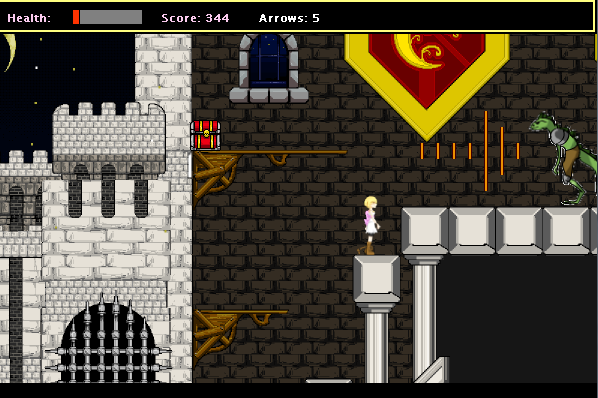
We decided to make a platformer type of game, which is familiar to most people. The player controls a character named Alessa, and uses her various weapons to defeat enemies and move through the levels.
Because there were restrictions on using copyrighted content, we created all the graphics and music ourselves.
My personal role was
- coding object collisions
- coding scene transitions, scoring
- creating sprite and background graphics and getting them into the game
Overall the project was a lot of fun to work on. As it turned out, our entry was very well-recieved and we finished in first place. We won a cash prize for our team and some money donated to our CS faculty at University of Waterloo.
https://info.uwaterloo.ca/www/profiles/research_profiles/profile-archive.php?id=193
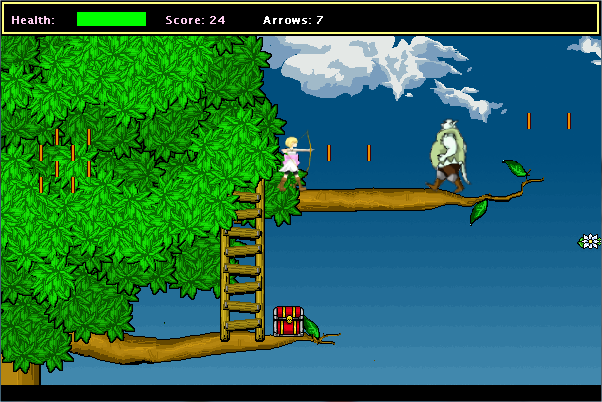
The levels contain various enemies and obstacles.
The game includes some dialogue segments, illustrated by our group, with larger character graphics illustrated by my super-artistically-inclined groupmate! The dialogue provides some story background to the game.
Controls:
- Left/right arrows: move Alessa
- Up arrow: Jump
- Any arrow(in water): swim
- A key: Shoot an arrow
- S key: Swing a sword
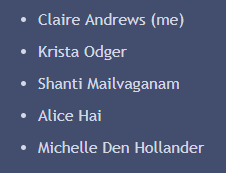
My team consisted of (big thanks to my teammates!):
The game was originally built and tested on a Windows 7 environment.
Notes for running on Windows 10 and later:
- Windows may mark the game executable as protected by SmartScreen. Although anything downloaded here is at your own risk, I attest that we did not put malware into the game and do not distribute it knowingly with any malware. To proceed past the SmartScreen filter should you choose to do so click "More Info" and "Run".
- The Game Maker environment relies on DirectPlay which, from Windows 7 to 10, was changed from a built-in feature of the OS into an optional component which is downloaded on demand. If Windows prompts you to download it, choose Yes to proceed with downloading it and enable playing the game.